Renewing Your Texas Driver License: Online, Mail, or DPS
Renewing a Texas driver license can feel straightforward until you have to choose between doing it online, by phone, by mail, or at a DPS office. The right route depends on what the Texas Department of Public Safety currently allows for your situation and which steps you can complete. Use this guide to compare the options and prepare before starting.
Choose a renewal method that fits your situation
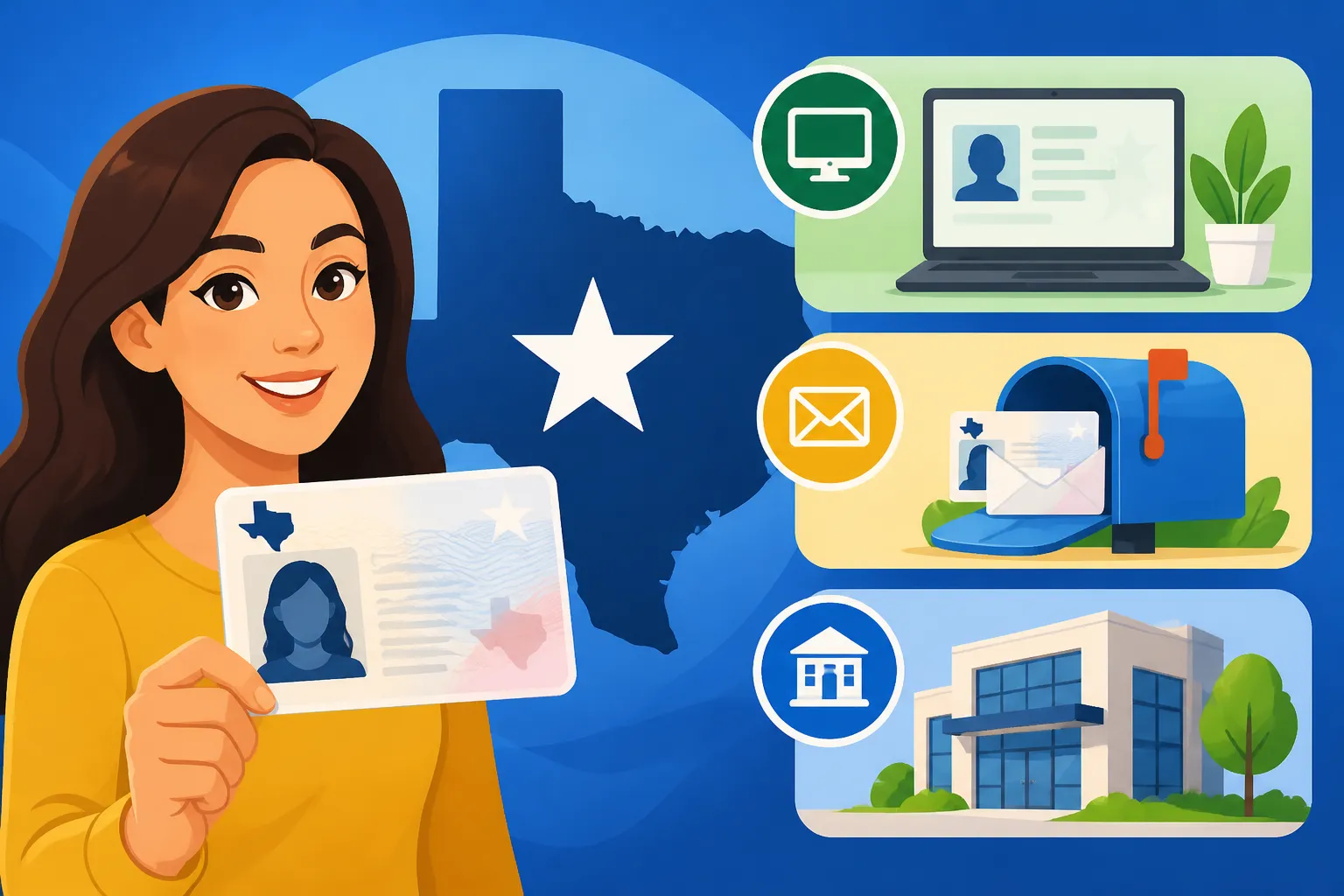
According to the Texas Department of Public Safety, a Texas driver license or ID card can be renewed online, over the phone, in person at a DPS office, or by mail. That list gives you possible routes, but it does not mean every route will be available to every person or for every renewal. Check the current DPS instructions and your eligibility before you begin.
A good starting point is to identify what matters most to you. If convenience is the priority, first see whether an electronic option is available for your credential. If you need help resolving a problem, have documents to show, or are directed to visit, an office appointment may be the more practical route. If you prefer paper transactions, confirm that mail renewal is currently suitable for your circumstances before sending anything.
| Renewal method | May suit you when | What to confirm first |
|---|---|---|
| Online | You want to handle the process electronically and DPS confirms you are eligible | Whether your credential and current circumstances qualify, what information is required, and how DPS will confirm completion |
| Phone | You want to use a phone-based route and DPS offers it for your renewal | Whether the option is available to you, what information you need, and how to receive confirmation |
| You prefer to send paperwork rather than complete the renewal online or at an office | Whether DPS permits mail renewal for your situation, which forms or supporting documents are required, and where to send them | |
| In person at a DPS office | You need an office visit, have been directed to appear, or want to address an issue face to face | Whether an appointment is needed, what to bring, and which office services are available |
The table is a decision aid, not a substitute for current DPS rules. Requirements can depend on the type of credential and the details of your record. For example, an online option may not appear if the system needs you to take another step, or mail may not be an option for a particular case. Start with the official renewal instructions rather than assuming that a route you used before is still available.
If you already know that you want to renew online, see Who Qualifies to Renew a Texas Driver License Online?. If the online service does not offer renewal, When Texas Drivers Must Renew at DPS Instead of Online can help you think through the next step. These routes may overlap in general, but the official DPS direction for your individual renewal should guide your choice.
Check eligibility and your credential details before starting
Choosing a renewal method before checking eligibility can lead to avoidable delays. The most useful first step is to confirm what credential you hold and what DPS says you can do with it. A driver license and an ID card are related credentials, but the instructions shown for one may not necessarily apply to the other. Read the renewal information for the specific credential you intend to renew.
Have the card available while you review the instructions, if you still have it. Use it to check that you are looking at the right record and to compare the identifying information requested by DPS. If your card is lost, damaged, or difficult to read, do not guess at details. Use the official DPS resources or ask the agency how to proceed. For a lost card, Replacing a Lost Texas Driver License Without the Audit Number may be relevant; for questions about a number on the credential, see Finding Your Texas Driver License Number When Your Card Is Lost.
Next, consider whether anything about your circumstances has changed since your last renewal. A change in legal name, residence address, mailing address, immigration documentation, or other record detail may affect what information you need to provide or which route DPS will permit. The point is not to assume that a change automatically blocks renewal. It is to identify it early and check whether DPS requires a separate update or documentation.
If your legal name has changed, review Updating Your Name on a Texas Driver License. If your residence address has changed, Updating Your Address on a Texas Driver License covers that topic. A mailing address that differs from your residence can raise its own questions; see Using a Mailing Address Different From Your Texas Residence and Mailing Your Texas Driver License to a PO Box or Alternate Address before selecting an address for the transaction.
Eligibility can also depend on whether your record needs attention before renewal. If you are unsure whether you can proceed, use the official DPS eligibility resources rather than repeatedly trying different renewal routes. Checking Your Texas Driver License Eligibility Online explains the eligibility-checking step. If you suspect a suspension or another hold may be involved, first check your status through the official source; the renewal process itself may not resolve an issue that is separate from renewal.
Make a short list of questions before you start. For example:
- Does DPS currently allow me to renew through the method I prefer?
- Does the information on my credential still match my current records?
- Do I need to handle an address or name update separately?
- Is there a missing document or record issue I need to address first?
- What confirmation should I keep after I complete the renewal?
Having the answers before beginning can prevent you from reaching the end of an online or paper process only to discover that you need another document or a different service. If the official instructions are unclear, use DPS’s own assistance channels. Avoid relying on an unofficial service to interpret or complete an agency transaction.
Renewing online or over the phone
Electronic renewal can be convenient because it may let you complete the transaction without traveling to an office or mailing paperwork. But convenience is useful only if DPS confirms that the option applies to your specific renewal. Do not assume that a previous online renewal means you will qualify again, or that being able to sign in means the renewal itself is available.
Start from the official DPS renewal information and follow its instructions in order. If the service directs you to a separate official account or portal, make sure you are using the channel DPS identifies. Review the information displayed before submitting anything. Correcting an error later can take extra time, especially if the mistake involves contact details or the address where your card should be sent.
Before you begin, gather the information DPS asks for. The exact fields and verification steps can vary, so use the current instructions rather than relying on a saved checklist from an earlier transaction. It is sensible to have your current credential and relevant personal details nearby, but do not send or enter sensitive information into a site or service that is not part of the official process.
The same caution applies to phone renewal. DPS lists renewal over the phone as an option, but you should verify whether it is offered for your circumstances and what information the agency requires. Use the contact details published by DPS, not a number copied from an old message or an unfamiliar third-party page. If the phone system says you are not eligible or cannot complete the process, take that response as a reason to check the official alternatives—not as a reason to keep repeating the same attempt.
An electronic attempt can be blocked for several different reasons. The system may not find a matching record, may need more information, or may direct you to another channel. A message directing you to an office does not necessarily mean your renewal is impossible; it means you should follow the agency’s instructions for the next step. For a closer look at online barriers, see Troubleshooting Texas by Texas Online Driver License Renewals and When TxT Directs You to Visit a Texas DPS Office Instead of Renewing.
After completing an electronic renewal, save the confirmation or transaction details in a place you can find again. Record what the system says about the status of your renewal and any follow-up action it requests. Do not treat a partially completed screen or an attempted payment as proof that the renewal is finished. If you are unsure whether the transaction went through, check using the official DPS status or account tools before trying again. Duplicate attempts can create confusion, so confirm the status first.
If an online or phone renewal is available, it may still involve a wait for the physical card or another follow-up step. Check what DPS says about processing and delivery after submission. If you are waiting for your credential, Tracking Your Texas Driver License or ID Card in the Mail and Where Texas DPS Will Mail Your New Driver License may help you understand what to check next.
Renewing by mail
Mail renewal can work for people who prefer paper instructions or cannot use an electronic route, but it requires careful attention to the current DPS requirements. The agency lists mail as a renewal method, yet you should confirm that DPS accepts a mailed renewal for your specific situation before preparing a packet. Do not assume that a paper form found in an old file is still current or that the same documents will be needed for every applicant.
Begin by locating the current official instructions for mail renewal. Read the full directions before filling out a form, signing anything, or sending payment or personal documents. Pay particular attention to the destination, any required supporting materials, the accepted way to send the transaction, and the agency’s instructions for checking its status. These details are transaction-specific and should come from DPS.
Prepare the packet as a complete set before mailing it. A useful routine is to compare every item against the official checklist, make sure the form is filled out consistently, and keep a copy of the materials you send. If you are including an original document, do not do so unless the current DPS instructions specifically require it. If something is missing or unclear, pause and confirm the requirement rather than mailing an incomplete packet and hoping the agency can fill in the gaps.
Address details deserve special care. Confirm whether the renewal materials ask for a residence address, a mailing address, or both. If you expect your card to be sent somewhere other than your residence, check whether DPS permits that arrangement for your case and whether the address must already be on your record. The instructions for an alternate mailing address may not be identical to the instructions for updating a residence address.
If the mail route is not available, or if the instructions call for an office visit, do not send a packet simply because mail would be more convenient. The agency may need to verify information or complete a step in person. For those situations, review When Texas DPS Requires an In-Person License Renewal and use the official DPS guidance to identify the next step.
Keep a record of when you sent your materials and how you sent them. If you use a delivery service that provides tracking, save its tracking details. This is a practical way to know whether the packet reached its destination, but delivery tracking does not by itself confirm that DPS accepted or completed the renewal. After mailing, use the official status-checking instructions and keep any messages from the agency.
If DPS contacts you about missing information, respond using the method and instructions it provides. Avoid sending additional documents to an address you found elsewhere or making assumptions about what the agency needs. A request to correct one part of an application may not mean that every other part has been accepted. Keep the original checklist and the agency’s message together so you can see what remains outstanding.
Renewing in person at a DPS office
An office visit may be the right route when DPS directs you to appear, when an electronic or mail option is unavailable, or when you need help with an issue that is difficult to resolve remotely. Before going, check the current DPS office instructions. Confirm whether you need an appointment, what service to select, what documents to bring, and whether the office can handle the specific renewal task you need.
Do not assume that every DPS office visit works the same way. The details can depend on the service, the information DPS needs to verify, and the office’s current procedures. Start with the official instructions for your renewal rather than relying on what a friend remembers from a different transaction. If an appointment is required, follow DPS’s appointment process and keep the confirmation details available.
Organize your documents before leaving. Use the current DPS checklist as the authority, and bring the items it requests in the formats it accepts. If your circumstances include a name or address change, a legal-presence document, or another record issue, check whether you need supporting paperwork for that part of the visit. What Documents to Bring to a Texas DPS Driver License Appointment and Texas Driver License Checklist: What to Take to Your DPS Visit can help you prepare, but confirm the current requirements with DPS before your appointment.
Think through the questions you may need to ask. If you are unsure whether a prior online attempt completed, bring or have available the confirmation information. If a system directed you to an office, save the message or note the reason it gave. Explaining the issue clearly can help the office understand what you need, but the agency makes the decision about the service and any additional requirements.
Allow time for the possibility that the visit may involve steps beyond handing over a renewal form. Depending on the instructions for your case, you may need to verify information, provide documents, or complete another part of the process. Do not plan around an assumed visit length unless DPS provides a current estimate. If you need to find an office, use the official DPS office locator to identify a location and its current hours.
A visit is not complete merely because you attended the office. Before leaving, make sure you understand whether the renewal was accepted, whether anything remains to be done, how to check status, and how DPS says the card will be delivered. Keep any receipt, temporary document, or written instruction the agency gives you. If you are unsure what a document means or whether it authorizes you to drive, ask DPS directly rather than making an assumption.
For a broader overview of what to expect at an office, see What to Expect During In-Person Driver Licensing Visits. If you are trying to decide whether you need to visit at all, When Texas DPS Requires an In-Person License Renewal is a useful related topic.
Prepare your information and avoid common delays
Most avoidable renewal problems begin before a person submits anything: the wrong route is chosen, information is entered differently from the existing record, or an important instruction is overlooked. A careful preparation routine can reduce those risks, although it cannot guarantee that DPS will approve a particular method or complete a transaction without follow-up.
First, use the exact service that matches your need. A renewal is different from a replacement, a name update, an address update, or a request to correct a record. If your credential is lost, for example, make sure you are following the instructions for the service DPS says applies to your situation. If a personal detail needs updating, check whether DPS asks you to make that change as part of renewal or through a separate transaction.
Second, keep your information consistent. Compare the details you enter with your existing DPS record and with the documents you are asked to provide. If a form requests a specific version of your name or address, follow the official directions. If you spot a discrepancy, do not alter one document or omit a detail just to make the entries look alike. Ask DPS what correction or supporting evidence is needed.
Third, read every instruction that appears after you start. An online service may provide a specific next step, while mail instructions may require a particular document or signature. An office appointment confirmation may identify the service you selected. These instructions are not interchangeable. Save them, and return to them if you need to pause and finish later.
Fourth, keep a simple renewal record. It can include the date you started, the route you used, what confirmation DPS provided, any document or message that needs follow-up, and the status-check information. This record is useful if you need to contact DPS or compare a later notice with what you submitted. Store personal information securely; a note with sensitive details should not be left where others can access it.
If a renewal attempt fails, stop and identify the point where it stopped. Was the issue a sign-in problem, an eligibility message, a missing document, an unclear address field, or a direction to visit an office? The more precisely you can describe the issue, the easier it is to follow the correct official guidance. Trying a different route without understanding the message can lead to duplicate submissions or conflicting information.
A few practical checks can help:
- Confirm that you are using a DPS-designated renewal channel.
- Verify that the instructions apply to your credential, not just to a different type of card.
- Check that personal details are entered as requested.
- Keep copies or confirmations where appropriate.
- Follow up through DPS if a message is unclear or the transaction status is uncertain.
- Do not assume that an attempted renewal has been completed until the agency confirms it.
If you also need to handle a name or residence update, consider that task as part of your preparation rather than discovering it midway through renewal. Documents Needed for a Texas DPS Driver License Name Change and How to Change Your Residence Address on a Texas Driver License Online cover those separate record changes. If your card has been lost or stolen, use the instructions for that circumstance instead of treating replacement as an ordinary renewal; What to Do Immediately if Your Texas Driver License Is Stolen addresses the stolen-card issue.
After you submit your renewal
Once you have sent an application, completed an electronic transaction, or attended an office visit, the next task is to confirm what happens afterward. Read the confirmation carefully. It may explain whether DPS received the submission, whether the renewal is still being processed, or whether you need to take another step. Keep the confirmation until you have received the renewed credential and are confident the record is correct.
If DPS provides a status-checking tool for your transaction, use the official tool and follow its instructions. Avoid interpreting a lack of an immediate update as proof that something went wrong. At the same time, do not ignore an agency message asking for additional information. If the status remains unclear, contact DPS through its official channels and have your transaction details ready.
Delivery is a separate concern from approval. Confirm the address DPS has on file and review the mailing guidance that applies to your credential. If you recently moved, do not assume that the new card will automatically go to your new residence. Check whether you need to update the record or provide a different mailing address. The related topics Where Texas DPS Will Mail Your New Driver License and Mailing Your Texas Driver License to a PO Box or Alternate Address can help you identify the questions to verify.
If the card does not arrive when expected, check the official status information before submitting another renewal or replacement request. A card may still be in process, the address may need attention, or DPS may require some action from you. Using the DPS ‘Where’s My License?’ Status Search Tool and Has Your Replacement Texas License Shipped? How to Check provide related information about checking a card’s status.
When the card arrives, review the information printed on it. If something appears incorrect, contact DPS promptly and follow its correction instructions. Do not assume that an error will resolve itself or that a separate record update has been made simply because you renewed. Keep any delivery or transaction paperwork until the card and your record appear to be in order.
If you are waiting for a renewed card and are uncertain what you may legally do in the meantime, do not rely on assumptions about a receipt, a confirmation page, or an old credential. Check the current DPS instructions for your situation. A confirmation that an application was submitted may not answer every question about driving privileges or acceptable proof. The relevant answer depends on the official status and documents DPS provides.
Finally, make a note of any separate task that remains open, such as correcting an address, responding to a document request, or checking the status again. Treat the renewal as complete only when you have followed the instructions and confirmed the outcome through DPS. That habit is useful whether you renewed online, by phone, by mail, or at an office.
Frequently Asked Questions
Can every Texas driver renew online?
Not necessarily. The Texas Department of Public Safety lists online renewal as an option, but you should confirm whether you qualify for that method and whether it is available for your specific credential and circumstances. See Who Qualifies to Renew a Texas Driver License Online?.
What should I do if the online system directs me to DPS?
Follow the direction shown by DPS and check why the system requires another step. An office visit may be necessary for your situation, but confirm the appointment and document requirements before going. See When Texas DPS Requires an In-Person License Renewal.
Is renewing by mail always available?
DPS lists mail as a renewal method, but you should confirm that the current mail process applies to your case. Use the official instructions to verify the required paperwork, destination, and follow-up steps before sending anything.
How can I check whether my renewed card has been mailed?
Use the official DPS status tools and the instructions provided with your renewal confirmation. Make sure the address on file is correct. Related information is available in Tracking Your Texas Driver License or ID Card in the Mail.
What if the information on my new card is wrong?
Contact DPS and follow its current correction instructions. Keep your renewal confirmation and any related documents so you can explain what information needs attention.
Sources
- Texas Department of Public Safety — Globe Icon (checked November 11, 2026)
Disclaimer
This article is for general informational purposes only and does not constitute professional advice. Laws, prices and regulations vary by location and change over time. Consult a qualified professional for guidance on your specific situation. Texas Driver Guide is not a government agency and is not affiliated with any state motor vehicle department.